Start With The Official Portal
If you bought your licence online, log into the same portal where you purchased it and re-download the PDF or licence summary. That is usually the fastest recovery path.
If you bought a paper licence at a store, contact the provincial licensing authority or the seller (details below). Whether they can look up the purchase, how quickly they can issue replacement proof, and whether a fee applies vary by province and product.
When the licence was already bought, the practical job is recovering, replacing, re-downloading, reprinting, or carrying accepted proof. If the trip already happened without accepted proof, the no-licence fine guide is the better next step.
If you have not bought the licence yet and need the checkout order, account setup, or proof-saving step, check the online buying guide instead.
BC's WILD system: As of April 1, 2026, BC freshwater anglers use a Fish and Wildlife ID (FWID) in WILD. For most basic freshwater products, FWID plus photo ID is the main proof, but conservation surcharge stamps and products with retention records can still require a paper or digital copy. See the BC section below.
If you bought a licence but cannot find it, did not get a copy, or need help recovering it, start with the official portal account where the purchase was made. That account is where licence summaries, reprints, and recovery steps live.
The critical thing to know: you are expected to carry accepted proof while fishing. A licence that is valid but sitting at home may still be treated as fishing without accepted proof. Deal with this before your next trip, not at the lake. If you already fished without accepted proof, use the fine for fishing without a licence guide to separate missing proof from no licence, expiry, and wrong-water problems.
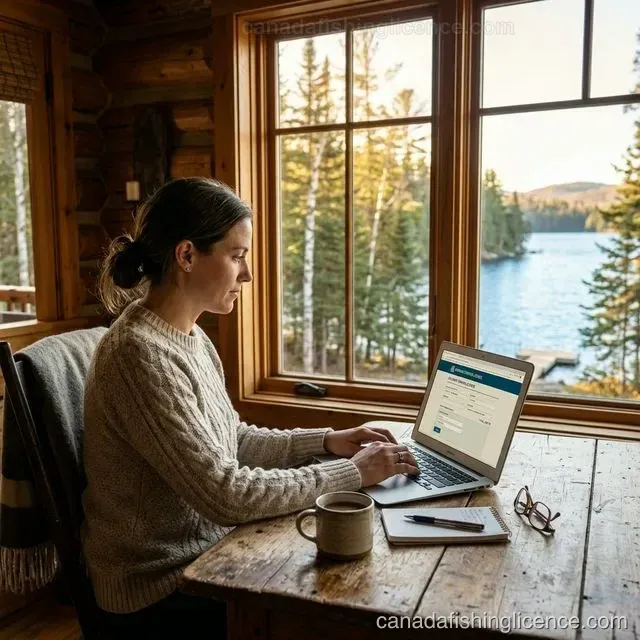
Online Purchase — The 2-Minute Fix
If you purchased online and the licence is stored in the issuing system, this is usually the cleanest recovery path:
Step 1: Go to the website where you originally purchased. Each province has its own portal — see the province-by-province section for direct links.
Step 2: Log in with the same email/account you used to purchase.
Step 3: Navigate to "My Licences," "Transaction History," or "Licence Summary."
Step 4: Click "Reprint," "Download PDF," or "View Summary." Save to your phone AND email it to yourself as backup.
Cost and format: Follow the issuing portal's instructions. Some systems provide a free reprint or download, while others use an app, an ID number, a replacement card, or a seller/support contact.
Important — digital format rules vary by province: Ontario says to carry the current licence summary in paper or digital format. Keep the official summary available on your device rather than relying on a receipt, email, or unrelated photo. Alberta and B.C. use different account, app, ID, stamp, and retention-record requirements, so follow the product-specific instructions in the issuing system and carry the official format named there.
Already at the Lake? Emergency Action Plan
You just arrived at the lake and realized your licence is missing. Here's the exact protocol:
If you have cell service (2-5 minutes): Log into the provincial portal on your phone -> reprint/download the PDF -> save it. You now have a valid digital copy. In Alberta, use the AlbertaRELM app if you have it set up. In BC, confirm the product in WILD and keep the required copy if you hold a conservation surcharge stamp or retention-record product.
If you DON'T have cell service: Drive to where you have service and retrieve your licence digitally. If you cannot do that, stop fishing and return later.
If a CO approaches: Be honest. "I realized I don't have my licence on me and I've stopped fishing" is the right answer. If you can pull up the purchase confirmation email or bank statement on your phone showing you did buy a licence, show it as supporting evidence.
Store Purchase — What to Do When There's No Digital Copy
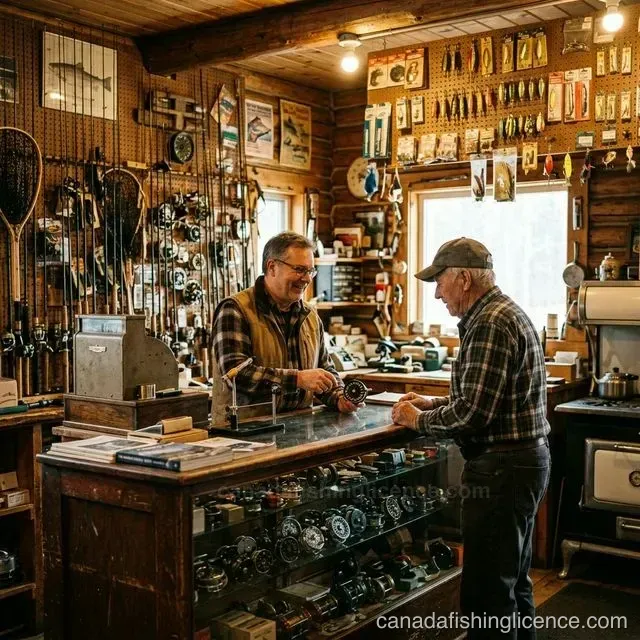
Paper licences bought at Canadian Tire, bait shops, or outfitters are trickier because the store typically doesn't keep a record of your specific licence:
Option 1 — Return to the same store: Some vendors can look up your purchase using your name and date of birth. This depends on the store's record-keeping system and varies widely — big-box stores (Canadian Tire, Bass Pro) are more likely to have records than small bait shops.
Option 2 — Contact the provincial licensing authority: Ask whether the purchase can be found using your name, date of birth, licence number, account email, or seller record. The required details and response time vary, so do not assume a same-day reissue.
Option 3 — Return to the official portal: If the issuing system supports a replacement or reprint, follow that path from the official portal links. Buying again may be an option in some systems, but confirm the licence status and accepted proof before paying twice.
Critical: Do not fish while waiting for a replacement. A licence at home or a pending reprint may still leave you without accepted proof in the field. A conservation officer may require the accepted proof for your province, licence type, stamp, or retention record. If the trip already happened, use the no-licence fine guide before assuming the issue is only a replacement task.
Province-by-Province Replacement Guide — Direct Links & Phone Numbers
Ontario: Ontario announced FishHuntON on June 29, 2026, with rollout expected in early 2027. For now, log into the Fish & Wildlife Licensing Service → "My Licences" → reprint. Licence summaries can be carried in paper or digital format. Lost Outdoors Card replacement: $8.57 + HST. Order online, by phone (1-800-288-1155), or at a ServiceOntario location. The physical replacement card takes up to 20 days by mail — in the meantime, your licence summary serves as temporary proof. Keep the current summary available on your device and make sure the battery is charged.
British Columbia: For most basic freshwater products in the WILD system, your FWID number + personal photo ID is the main proof. You may still need a paper or digital copy for Conservation Surcharge Stamps (Salmon, Steelhead) and any product that needs a retention record. Log in from the official BC WILD login page to view or reprint available documents, or use FrontCounter BC, Service BC, or a participating vendor if the online path is not working. For tidal licences, use the DFO NRLS portal. Check the BC WILD System Guide for details.
Alberta: Log into My Wild Alberta → reprint. Free. If purchased at a vendor, call Alberta Fish and Wildlife: 1-877-944-0313. Digital format: The AlbertaRELM app is the sole official method for storing and displaying electronic licences in Alberta. Conservation officers will accept the AlbertaRELM app or a paper licence — but NOT a screenshot, photo, or generic PDF viewer. Download the app, link your WiN Card, and all your licences are always available.
Saskatchewan: Start from Saskatchewan's official angling licence page, then log into HAL to reprint. Electronic licences are stored permanently. For vendor-purchased licences, call 1-800-567-4224.
Quebec: Start with the Quebec fishing licence page, then visit an authorized agent or use the My Hunting and Fishing Account to replace or reprint the licence.
New Brunswick: NB requires a free NB Outdoors Card before any licence. Start with the New Brunswick Go Fishing page or contact the department at 506-453-2440.
Nova Scotia, Newfoundland, PEI, Manitoba: Start with the provincial fish and wildlife office, seller, or portal listed in the official portal links. Ask what identity or purchase details they need and whether replacement proof is available for that product.
Territories (Yukon, NWT, Nunavut): Contact the territorial Environment department. Yukon: 867-667-5652. NWT: 867-767-9237.
Digital Licence Rules — What Each Province Actually Accepts in 2026
This is one of the most commonly confused topics in Canadian fishing. Rules vary significantly:
Ontario: Carry the current licence summary in paper or digital format from the Fish & Wildlife Licensing Service. Keep the official summary available offline and keep the phone charged if you use a digital copy.
British Columbia (WILD system): FWID + photo ID is the main proof for most basic freshwater products. Carry the required paper or digital copy for Conservation Surcharge Stamps and products with retention records.
Alberta: AlbertaRELM app only for electronic storage. A PDF, photo, screenshot, or generic viewer is not the accepted electronic format.
Saskatchewan: Electronic copy from HAL system accepted. Print or display on device.
Federal (DFO Tidal): Electronic copies accepted. They can be linked to the FishingBC app for tidal waters.
Other provinces: Rules vary. Carry the format named by the issuing authority; a printed backup can help when the official rules allow it, but it does not replace a required app, ID, stamp, or retention record.
Simple backup for all provinces: Email the PDF to yourself with a searchable subject line such as "2026 Fishing Licence." It is easier to find later and can help show the purchase date if there is ever a question.
Lost Outdoors Card (Ontario-Specific)
The Ontario Outdoors Card is separate from the fishing licence listed on your licence summary. Losing the physical card does not by itself cancel an active licence, but you still need the accepted proof for the trip. Ontario says the current official licence summary can be carried in paper or digital form while you wait for a replacement card; the digital copy must be the PDF supplied by the licensing service, not a screenshot or photo.
Replacement cost: $8.57 + HST (same as a new card). This is a flat fee for buying, renewing, OR replacing.
How to replace: Online at huntandfishontario.com, by phone (1-800-288-1155), at a licence issuer, or at a participating ServiceOntario location.
What you need: Legal name, date of birth, mailing address, height, and eye colour. Payment: VISA, VISA Debit, MasterCard, or Debit MasterCard.
Timeline: The physical replacement card takes approximately 20 days by mail. While waiting, the current official Licence Summary from the portal is the proof to carry for the active licence and card record.
Important: If your Outdoors Card is expired (not just lost), you need to renew it — not just replace it. An expired card invalidates all associated fishing tags. Renewal window opens the first Tuesday of December annually. Check the Conservation vs Sport Licence guide for more on the Ontario system.
Keep the card and licence dates separate: In Ontario, the Outdoors Card and fishing licence are related but have their own validity and replacement steps. Check the current licence summary and card instructions before assuming that replacing one document replaces the other.
4 Habits That Make Recovery Easier
1. Start from the portal you used. If that issuing system stores the purchase, follow its recovery or reprint steps instead of assuming a new licence is required.
2. Save to 3 places: (a) Phone files/downloads folder. (b) Email — send it to yourself with a searchable subject line. (c) Printed copy in your tackle box.
3. Keep proof in the official app or portal where available: Alberta's AlbertaRELM app stores your licences. BC's WILD system keeps freshwater products tied to your FWID. Ontario's Fish & Wildlife Licensing Service website stores your licence summary.